
Focus To-Do vs Stuon
Focus To-Do sits in the popular zone between task manager and pomodoro timer. Stuon takes a different route: it keeps the experience visually lighter and more focused on the quality of the study session itself.
Focus To-Do is convenient if you want tasks, checklists, and pomodoro sessions in one place.
Stuon is better when you do not want your focus tool to feel like another productivity dashboard.
best for students choosing between checklist productivity and calmer study depth
Quick take
Students who want tasks and pomodoro sessions bundled into one familiar workflow.
Students who want a cleaner focus product that feels less like task software and more like a study environment.
Why students search for this alternative
Students often search for a Focus To-Do alternative when to-do lists begin to dominate the study experience. They want focus back in the center instead of feeling buried inside task management.
If Focus To-Do is helping you complete lists but not helping study feel calm or deep, Stuon is the more natural shift because it makes the session itself the main object again.
Side-by-side comparison
Focus To-Do works well if your study process already lives inside task lists and you want your pomodoro timer attached directly to those tasks.
Stuon starts with the study session itself and builds outward from there. That makes the product feel more intentional and less list-heavy.
Focus To-Do is practical, but it can feel closer to a classic productivity app than a calm focus space.
Stuon puts more emphasis on visual calm. That matters when you study for long stretches and want the environment to feel less busy.
Focus To-Do helps with throughput and task completion, especially if you enjoy checking things off.
Stuon is stronger when the goal is not just finishing tasks but learning deeply, revisiting material, and understanding how your sessions add up over time.
Focus To-Do fits people who naturally plan around to-do lists and want pomodoro attached to that style.
Stuon fits students who want more space, more calm, and a study tool that feels distinct from everyday task management.
How the Stuon workflow feels
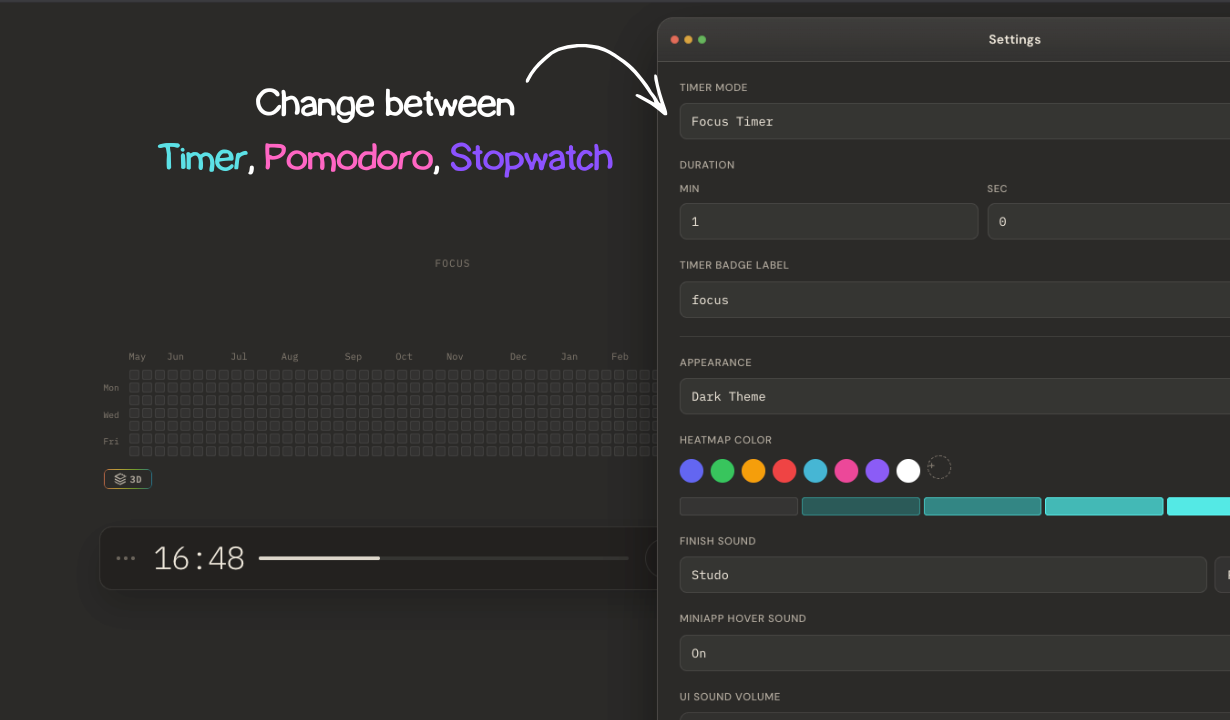
 Flexible session setup
Students can shape the timer around the way they work instead of adapting to one fixed model.
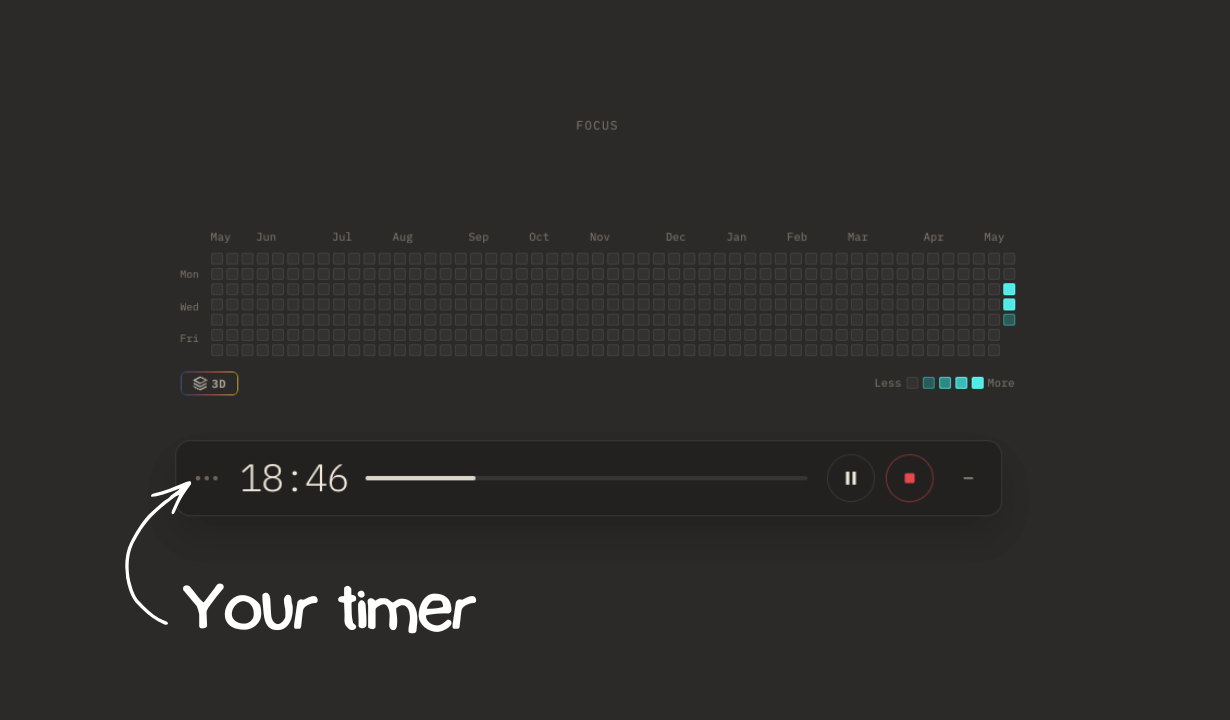
Visible focus rhythm
The study pattern stays legible, so consistency feels concrete instead of abstract.
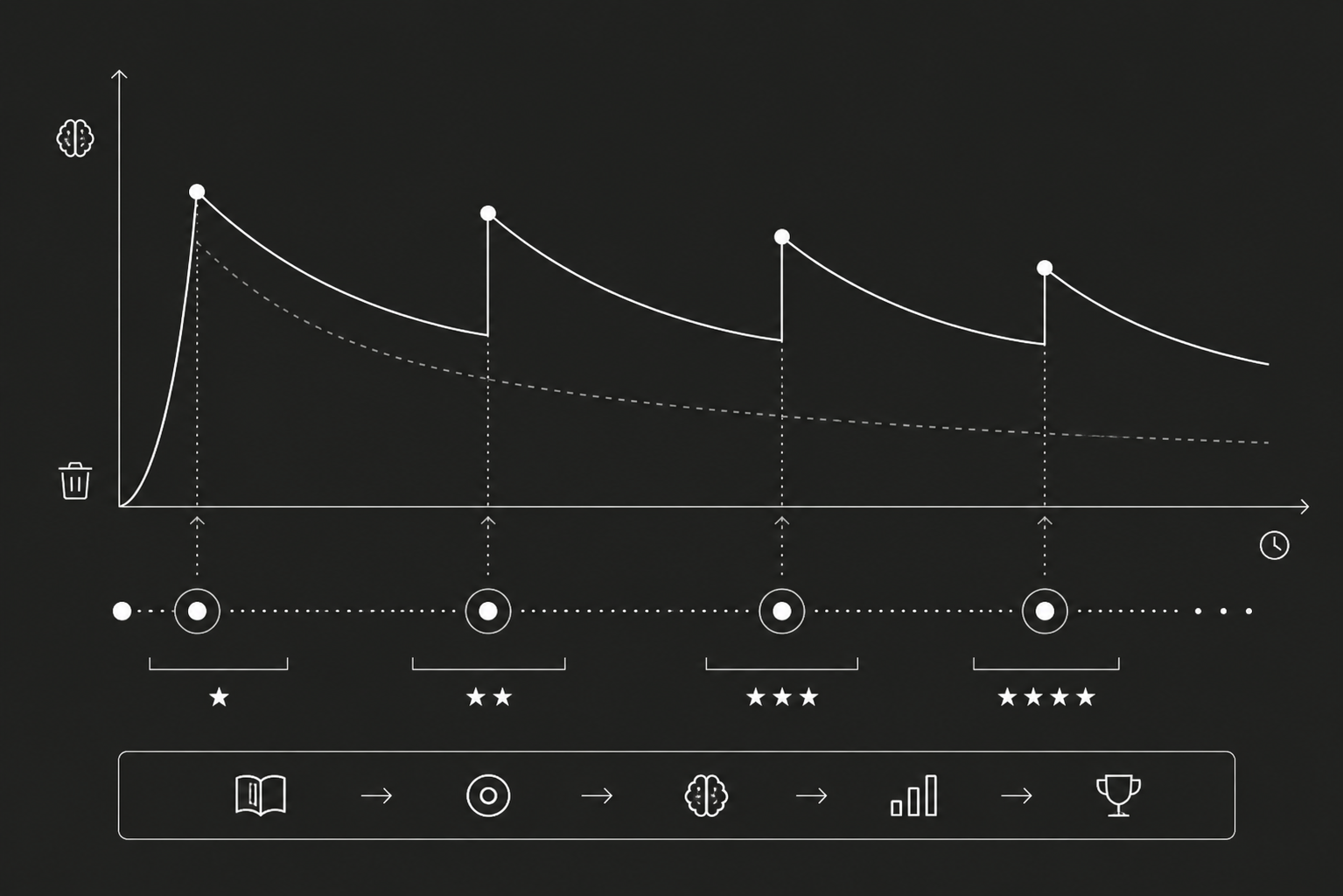 Learning beyond the timer
The product can support actual learning habits rather than ending at the countdown itself.
When Focus To-Do still wins and when Stuon wins
Focus To-Do still wins when you want a single place for pomodoro sessions, tasks, and checklists.
Stuon wins when you want the study environment to feel cleaner, less list-heavy, and more intentional over long sessions.
Which one fits you better?
Focus To-Do is convenient if you want tasks, checklists, and pomodoro sessions in one place.
Stuon is better when you do not want your focus tool to feel like another productivity dashboard.
Frequently asked questions
Yes. Stuon is a strong Focus To-Do alternative if you want a less task-heavy, more visually calm study experience with stronger focus on session quality.
Focus To-Do is more task-centric. Stuon is better if you want pomodoro support without turning the whole study experience into a checklist dashboard.
A student may prefer Stuon when they want cleaner design, more study depth, and a product that feels more like focused learning than general productivity management.
Verdict
Focus To-Do is convenient if you want tasks, checklists, and pomodoro sessions in one place. Stuon is better when you do not want your focus tool to feel like another productivity dashboard. If you want a study tool that stays readable, intentional, and more aligned with actual academic work, Stuon is the stronger alternative.