
Log Session
Review previous study sessions, log new ones, and organize your history by date or by study time.
Log Session
This area helps you look back at earlier study sessions, sort them to find what matters faster, and manually add sessions when you want to record work that happened outside the live timer.
View, sort, and log sessions
This video shows how to open previous study sessions, log sessions, sort them by date or by time, and add sessions manually when you want your history to stay complete.
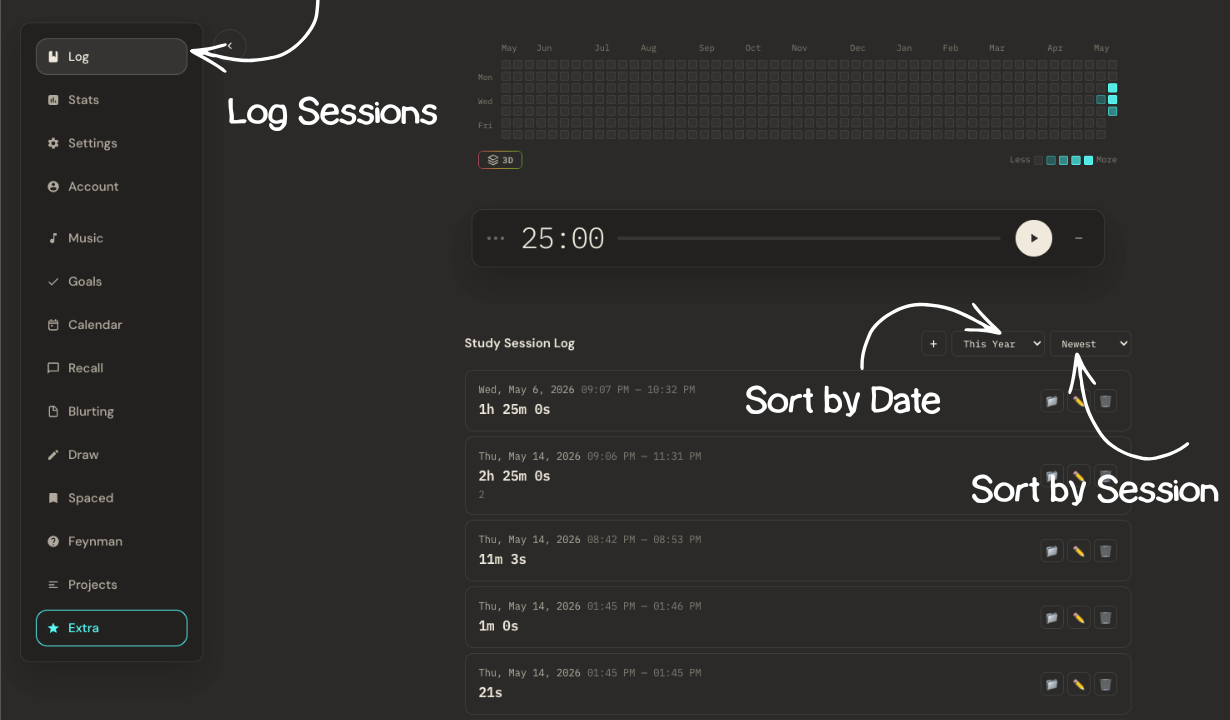
Sort your sessions
Use the sorting controls to switch how sessions are arranged. This helps you quickly review study history either by most recent dates or by the amount of time you studied.
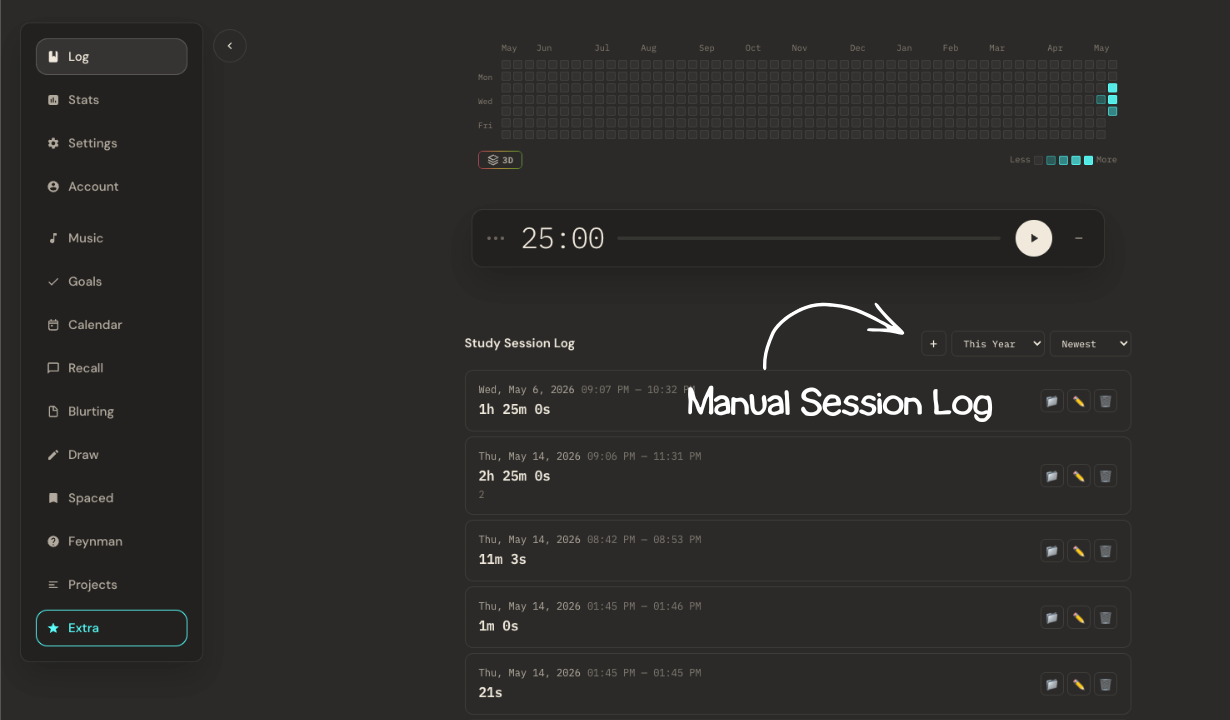
Manually add a session
This screen shows where manual session adding happens. Use it when you studied outside the timer and still want that work saved into your session history.